Battery Compatibility
This is where a variant gets its battery ratings. Work happens in two steps on one page.
Permissions: compatibilities.view to see the page, compatibilities.create / update / delete for the actions.
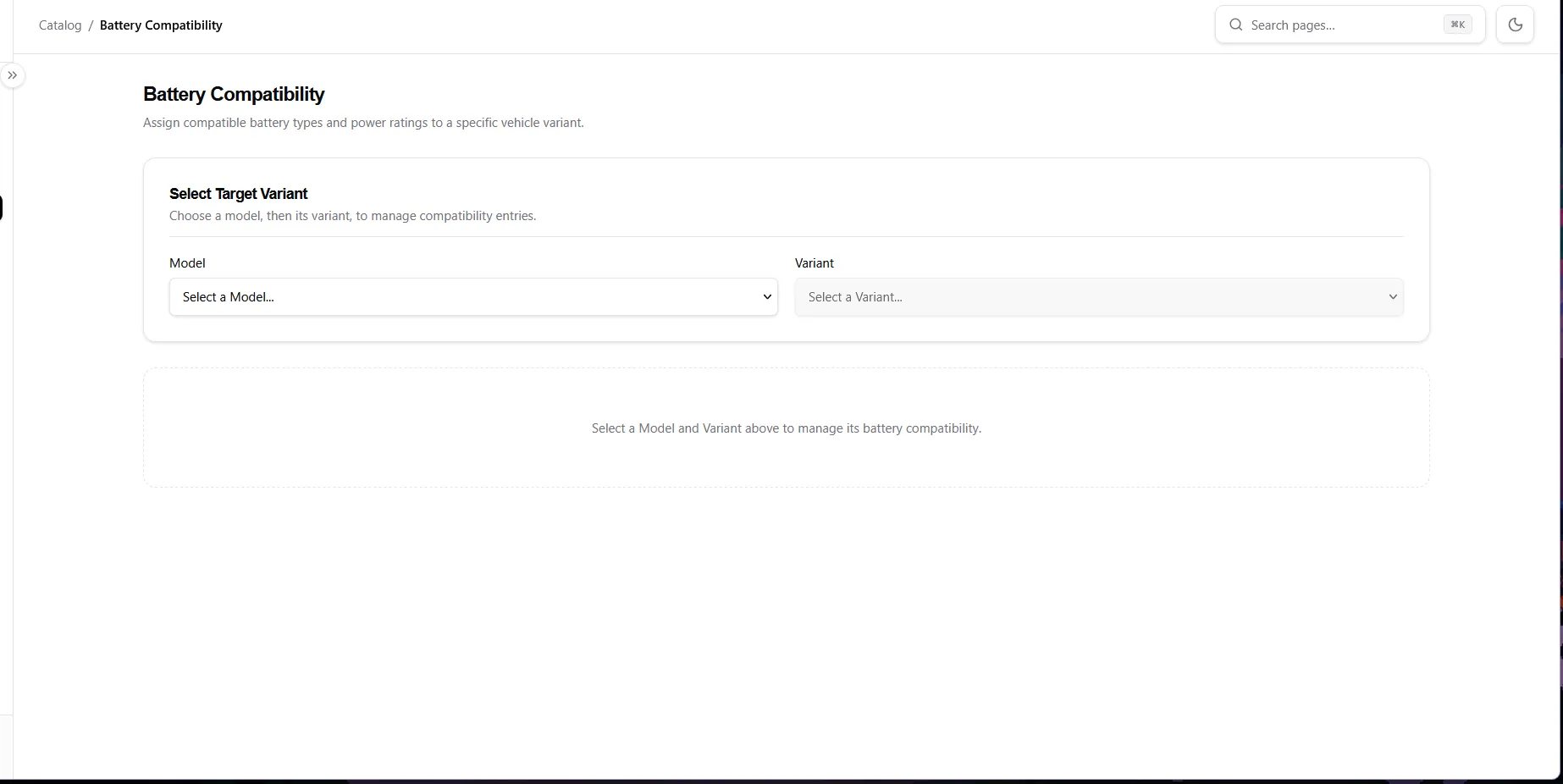
Step 1 — Select Target Variant
Section titled “Step 1 — Select Target Variant”- Model — pick a model (shows brand in brackets).
- Variant — pick one of that model’s variants (enabled after a model is chosen).
- If the model has no variants, you’ll see a note pointing you to the Models page first.
Step 2 — Compatibility Entries
Section titled “Step 2 — Compatibility Entries”Once a variant is selected, the entries card appears showing Model – Variant and an Add Entry button.
Each entry row has:
| Field | Notes |
|---|---|
| Battery Type | Pick from Battery Types (required). |
| Power Value | Positive number, decimals allowed, e.g. 2.5 (required). |
| Power Unit | KW (Kilowatt) or W (Watt). |
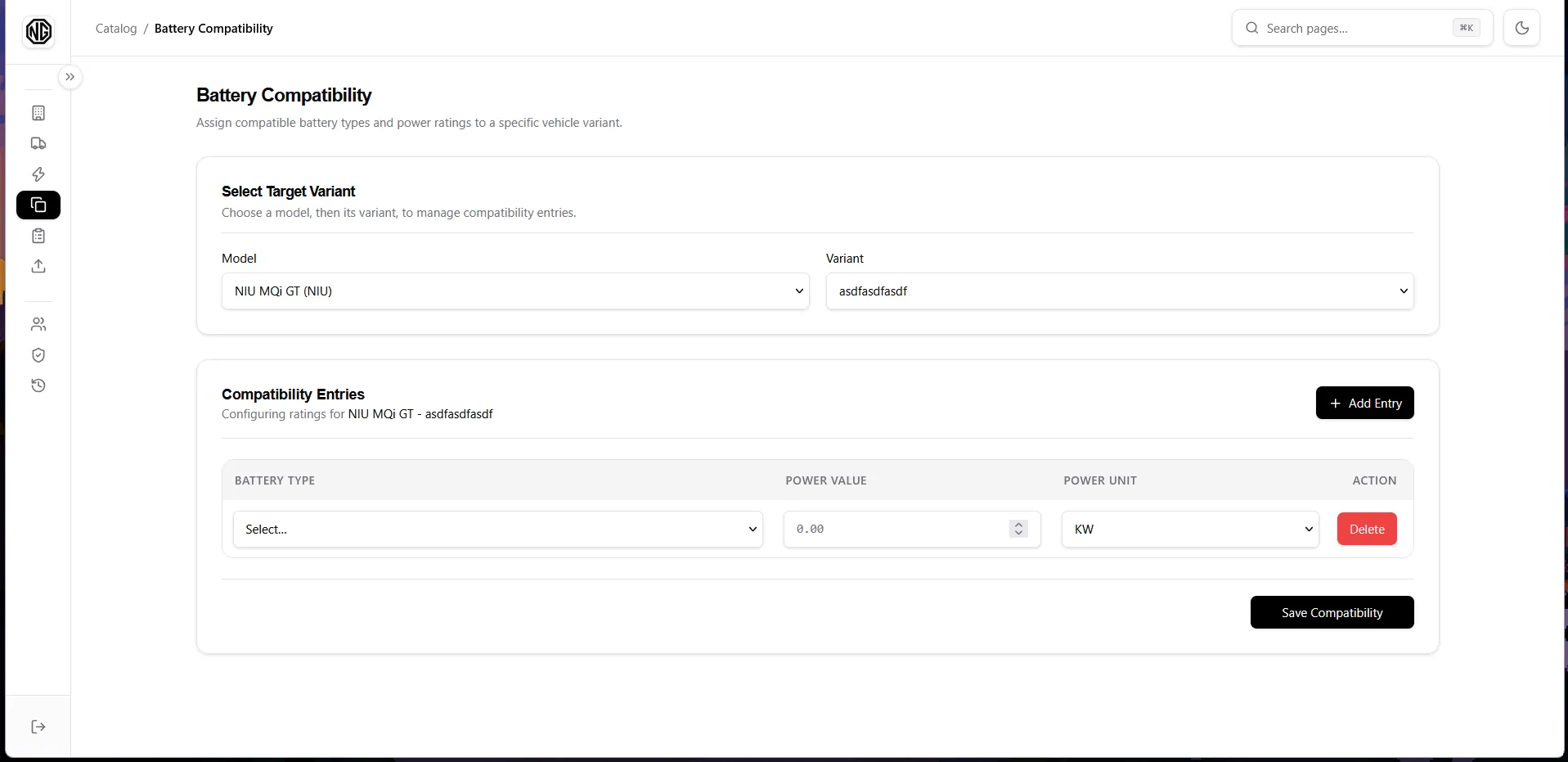
Rules and actions:
- The entries list scrolls inside the card (header stays visible) so long lists don’t push the page down.
- Add Entry appends a blank row. Delete removes a row (saved rows call the server immediately with a success toast; unsaved rows just disappear).
- Problems are shown as a red message above the table (e.g.
Row 2: choose a battery type.). - Click Save Compatibility to save all rows at once (creates + updates). The button shows Saving… while working; a toast confirms success.